
Prolific integration
Prolific is an online platform that connects researchers with a large pool of potential participants for their studies. It is designed specifically for academic research and provides tools for recruiting, managing, and compensating participants. By integrating with Prolific, VERA allows researchers to easily distribute their experiments to a diverse and reliable participant pool.
Benefits of using Prolific
By using Prolific for remote distribution of your experiments, you can take advantage of several benefits:
Easy participant recruitment: Prolific simplifies the process of recruiting participants for your experiments, allowing you to quickly and easily find individuals who meet your study’s criteria.
Large and diverse participant pool: Prolific has a large and diverse pool of participants from around the world, allowing researchers to reach a wide variety of demographics and backgrounds.
Pre-screened participants: Prolific allows researchers to pre-screen participants based on specific criteria, ensuring that the recruited participants meet the requirements of the study.
Data quality assurance: Prolific has built-in mechanisms to ensure high-quality data collection, such as attention checks and participant feedback.
Streamlined payment process: Prolific handles participant payments directly through their platform, making it easy for researchers to manage compensation for their studies.
How to integrate with Prolific
Following is an overview of how to set up Prolific remote distribution for your VERA experiments. The steps below assume you have already created your experiment in VERA and are ready to set up distribution.
To use the Prolific remote distribution method, you will need to create a Prolific account and set up your experiment on the Prolific platform. You’ll need to configure the necessary settings on both the VERA web interface and the Prolific platform respectively.
Follow the process below to set up Prolific remote distribution for your experiment:
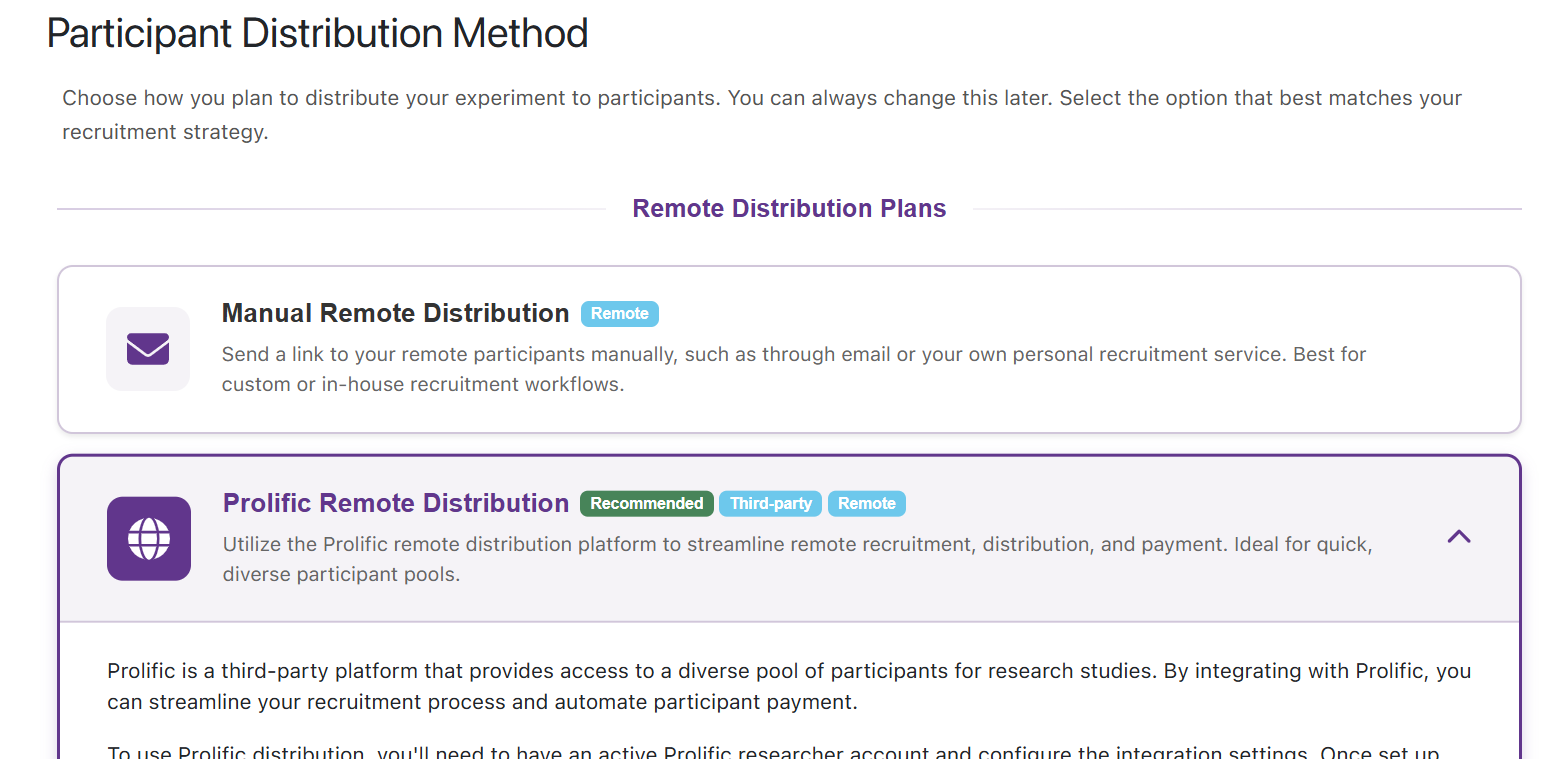
Select Prolific distribution. In the VERA web interface, open the Experiment Flow card on the Experiment Setup page. Open the participant distribution step and select Prolific Remote Distribution.
Set up your experiment in Prolific. Create a Prolific account, and create a new study. During the setup process, you will need to provide details about your experiment, such as the study title, description, estimated completion time, and payment amount. Fill these out according to your experiment’s specifics.
Provide your experiment URL to Prolific. During the Prolific study setup, you will need to provide the unique URL for your experiment from the VERA web interface. You’ll know when you need to provide the URL when Prolific asks “What’s the URL of your study?”.
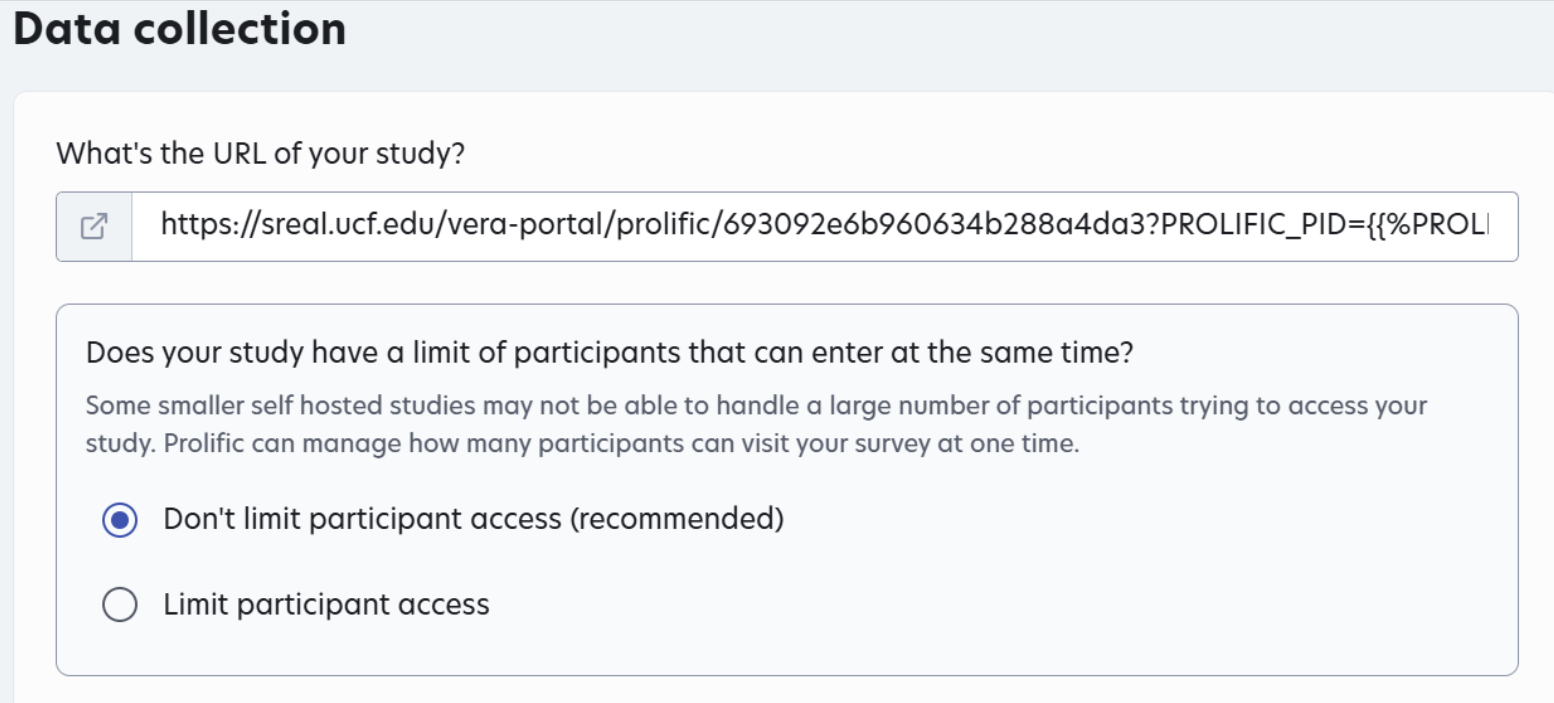
Your experiment’s unique URL can be found in the Prolific distribution step on the Experiment Flow card, or from Distribution Link in the experiment’s dashboard card menu. Copy this URL to your clipboard to paste into Prolific. It should look something like the image below:

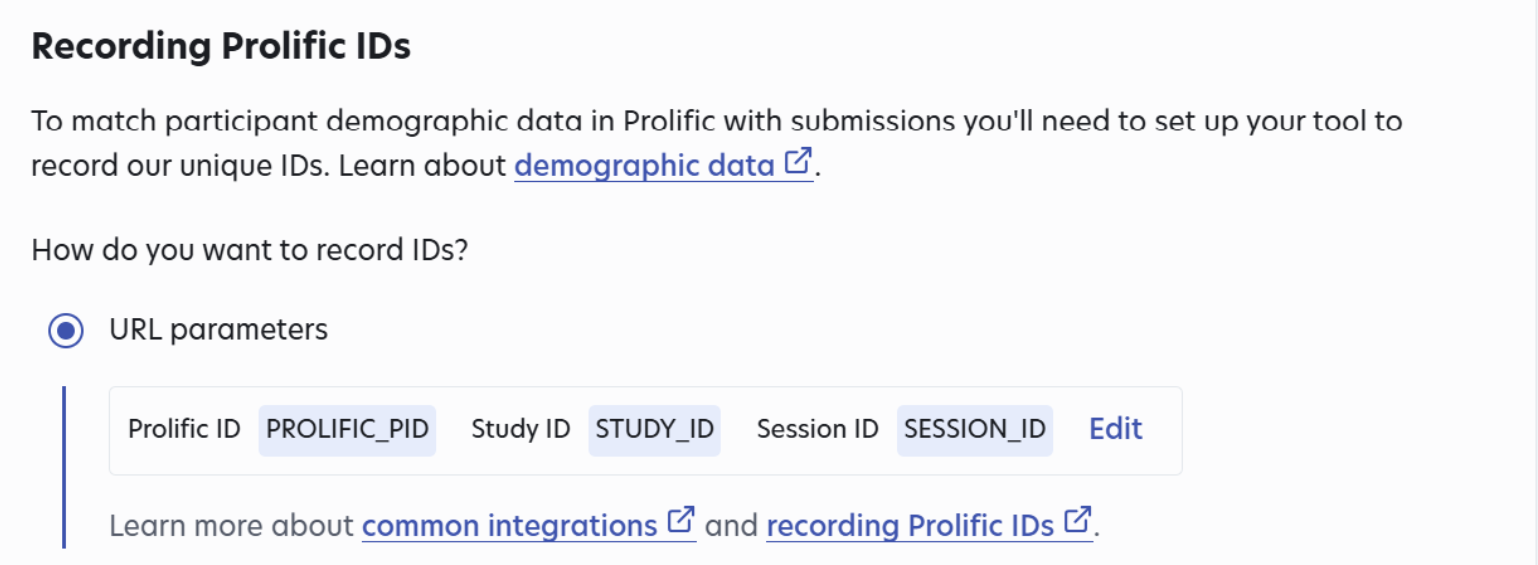
Configure Prolific ID recording. After pasting your experiment’s URL into Prolific, make sure to select the option to record Prolific IDs via URL parameters. This will allow VERA to associate participant sessions with their corresponding Prolific IDs for data management purposes. (This might change your study’s URL slightly by adding new query parameters; this is okay and expected.)
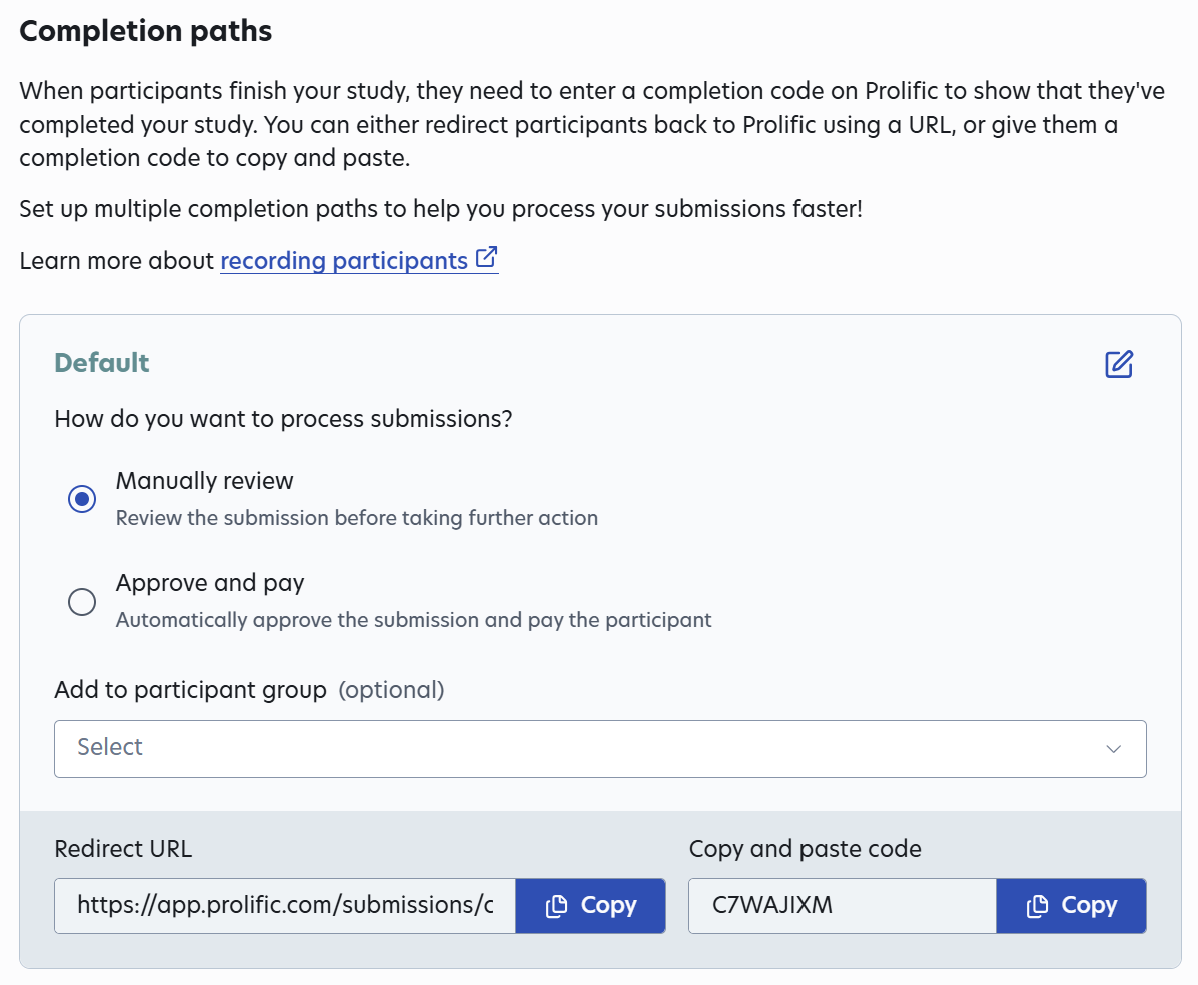
Enter the Prolific completion code. During the Prolific study setup, Prolific will provide you with a unique completion code for your study. This code allows participants to receive credit for completing your experiment. You will need to paste this code into the Prolific Completion Code field in the VERA web interface. This field can be found in the Prolific distribution step on the Experiment Flow card.

Finalize on VERA. Complete your experiment setup on the VERA portal. Make sure all necessary settings are configured correctly, including the Prolific completion code you just added. Before continuing to the next step, make sure you have built from Unity, and tested out your experiment using your experiment’s unique URL to ensure everything is working as expected.
Publish your study on Prolific. Finally, complete your study setup on Prolific. Review all settings and details to ensure everything is correct, and then publish your study to make it live. Participants will then be able to find and sign up for your study on Prolific.
That’s it - your study is live! Prolific will automatically allow participants to sign-up for your study. From the participant’s perspective, after signing up for your study on Prolific, they will be presented with your study’s URL. After clicking it, they will be taken to your experiment hosted on the VERA web interface, where they can complete the experiment directly through their web browser.
Managing a live Prolific study
Once your study is live on Prolific, you can monitor recruitment progress and participant activity through the Prolific platform. You can view collected data and results from your experiment through the VERA web interface.
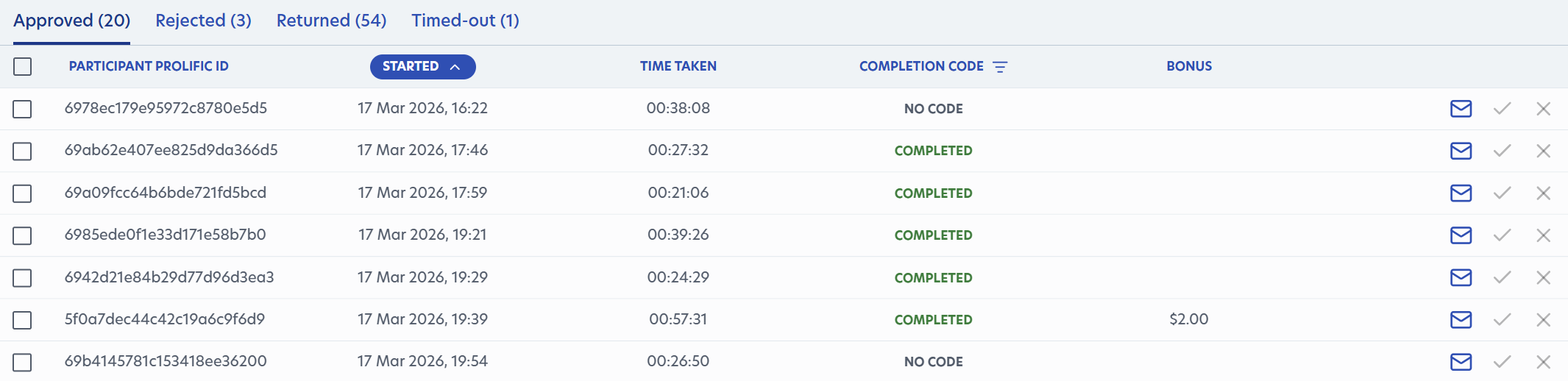
Data can be cross-correlated between Prolific and VERA using the Prolific IDs that are recorded in VERA for each participant session. This allows you to easily manage participant data and ensure that you can track which participants have completed your experiment and received credit on Prolific.
After examining the collected data for a participant, you can choose to approve or reject their submission on Prolific based on the quality of their data and whether they met the requirements of your study. For example, if a participant did not complete the experiment or failed attention checks, you may choose to reject their submission on Prolific.
Before rejecting, it is recommended that you press the “ask participant to return their submission” button on Prolific - this will give the participant a chance to review their submission and return it back if they agree that they did not meet the requirements of the study; this will result in them not receiving any penalties for a rejected submission. If they do not return it, you can then reject their submission.
Note
If at any time you need to pause your experiment or otherwise temporarily stop recruitment, you must do so through Prolific - even if you halt data collection on VERA, participants will still be able to sign up for your study on Prolific and attempt to access your experiment until you pause or close the study on Prolific.
Once you are done with your study and no longer need any further participants, make sure to close your study on Prolific to prevent any new participants from signing up. You can still access your experiment data on VERA after closing the study on Prolific.